
This article originally appeared in Workplace Insight on October 1st, 2019.
By Guy Osmond
Recently Mark Eltringham of Workplace Insight argued that ergonomics regulations have become something of an anachronism in recent years. When I first became involved in the workplace ergonomics industry in late 1992, the new Display Screen Equipment ’computer user’ guidance was about to be given the force of law through the introduction of the DSE Regulations. These regulations were updated again in 2002 but, since then, no changes have been made.
As Mark points out, by contrast, the workplace has changed dramatically in the 17 years since the last regulations update. The internet, laptops, tablets and smartphones have revolutionised our mobility and the introduction of agile working means that many people seldom use the same desk regularly.
Still relevant
 So what purpose, if any, do the regulations serve today? Designed for use at a time when most people had a CRT monitor sitting on top of their computer in front of them (or often to the side) it is very clear that our equipment, software, activities and job roles have all changed beyond recognition.
If we are never sitting at a dedicated desk, what earthly benefit can be served by a ‘workstation risk assessment’? The answer lies in how you approach the regulations documentation and, specifically, the guidance they contain.
Adopting a compliance approach of simply carrying out an assessment, ticking all the boxes and filing it away may meet an employer’s legislative obligations but it will serve little, if any, purpose.
By contrast, closer examination of the guidance shows surprising prescience. Admittedly, you must start by translating some of the terminology into 21st century language (Word processing worker = everyone, data input operator = nearly everyone, home workers/teleworkers = agile workers, portable digital assistant devices = smartphones, etc.). However, beyond that distraction, the guidance is sound and the principles still apply.
The real potential benefit can come when defining how you deal with the regulations. If you use the guidelines as the basis for an educational approach, the training can empower your personnel to use the knowledge gained wherever and whenever they are working.
No more ticks
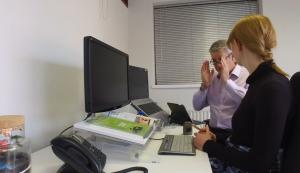 Rather than the simple box-ticking process, use the risk assessment to demonstrate how to address the posture issues, what resources are available to address them and why this should be done. When staff understand the how, what and (most importantly) why, they will see how to apply this knowledge elsewhere in their working lives.
Many organisations use online software to carry out the ergonomics assessment and the best of these tools provide simultaneous training as an integral part of the process. This can include videos or animations showing how to use the controls of a specific chair to get maximum support, how to position documents or how to optimise screen position, for instance.
It is important to keep in mind, however, that the DSE assessment process starts with the assumption that there is a flat surface, a screen, input device(s) and a chair. In agile working environments, this is often not the case so further guidance should be included about how to use readily available ad hoc solutions in the home or on the move.
Simple tips about how to avoid overloading the back, neck, arms or fingers can inform preventative actions. Many of these will be compromises but, as long as the overriding message is about frequent posture change, the knowledge gained from this process will be beneficial in all scenarios, both in the office and beyond.